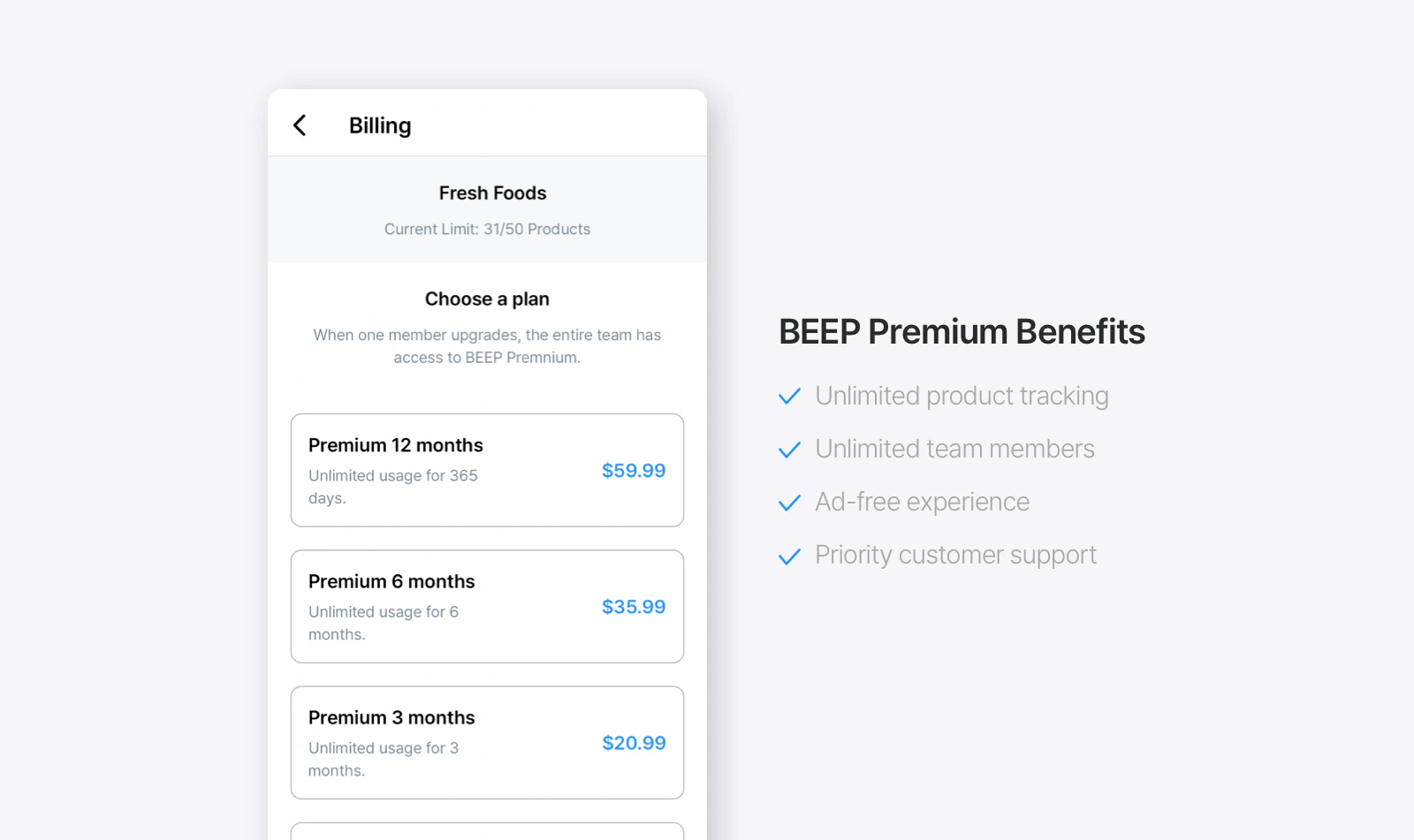
BEEP Premium offers unlimited product tracking, so you can add and manage as many products and categories as your team needs! It also includes an ad-free experience to expiration date tracking, and priority access to our support team.
BEEP is currently available only as a mobile app, so it’s not supported on desktop or laptop computers. You can download BEEP on Google Play or the Apple App Store.
BEEP does not have a built-in feature for quantity tracking. As a workaround, we recommend adding quantity details in the memo when registering a product.If you need precise inventory tracking with real-time updates, check out our sister app, BoxHero.Download BoxHero on Google Play or the Apple App Store:
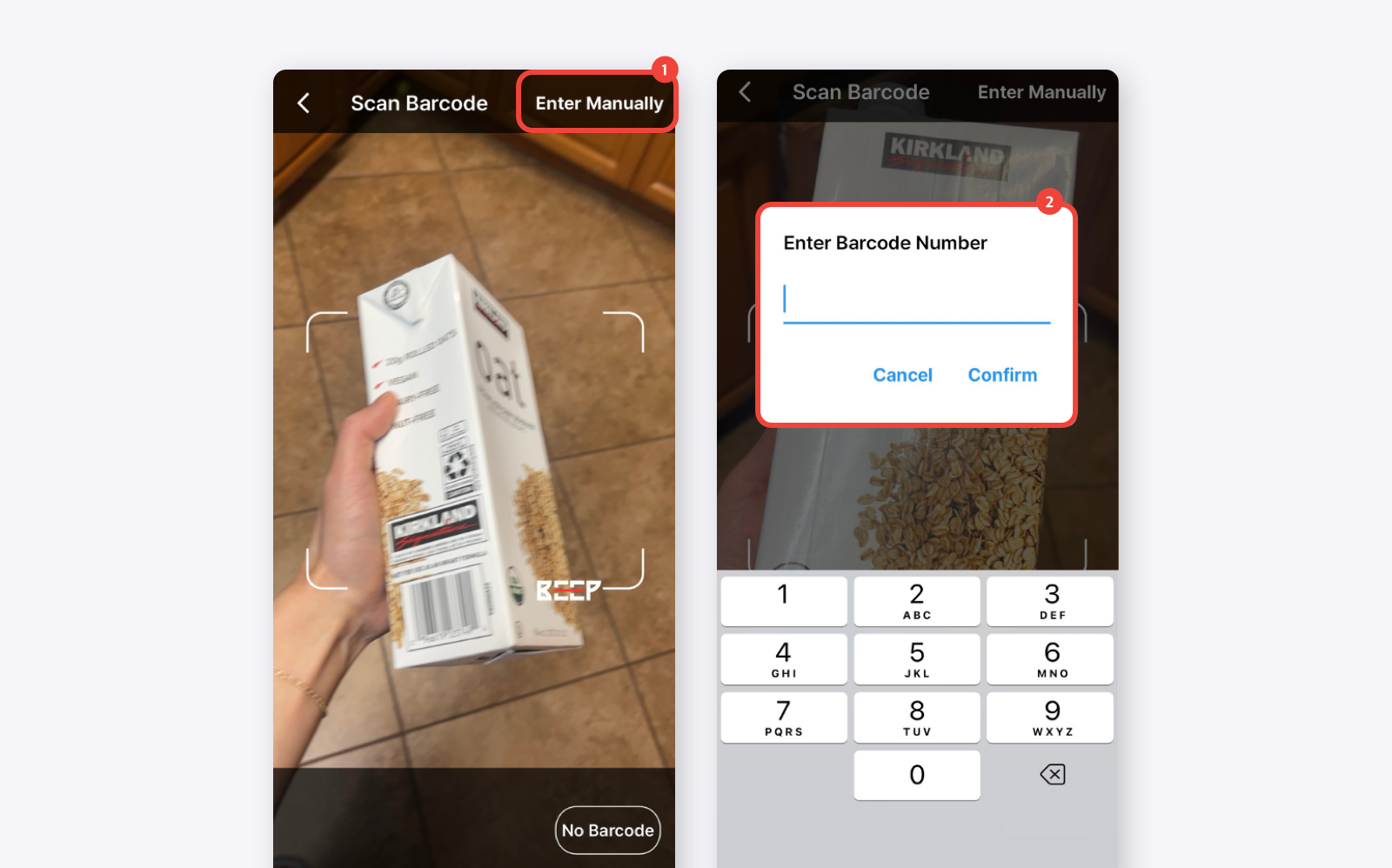
Is the expiry date automatically added when I scan a barcode?
No, expiration dates are not automatically inserted when scanning a barcode. Barcodes do not contain expiration date information, so you will need to enter it manually.
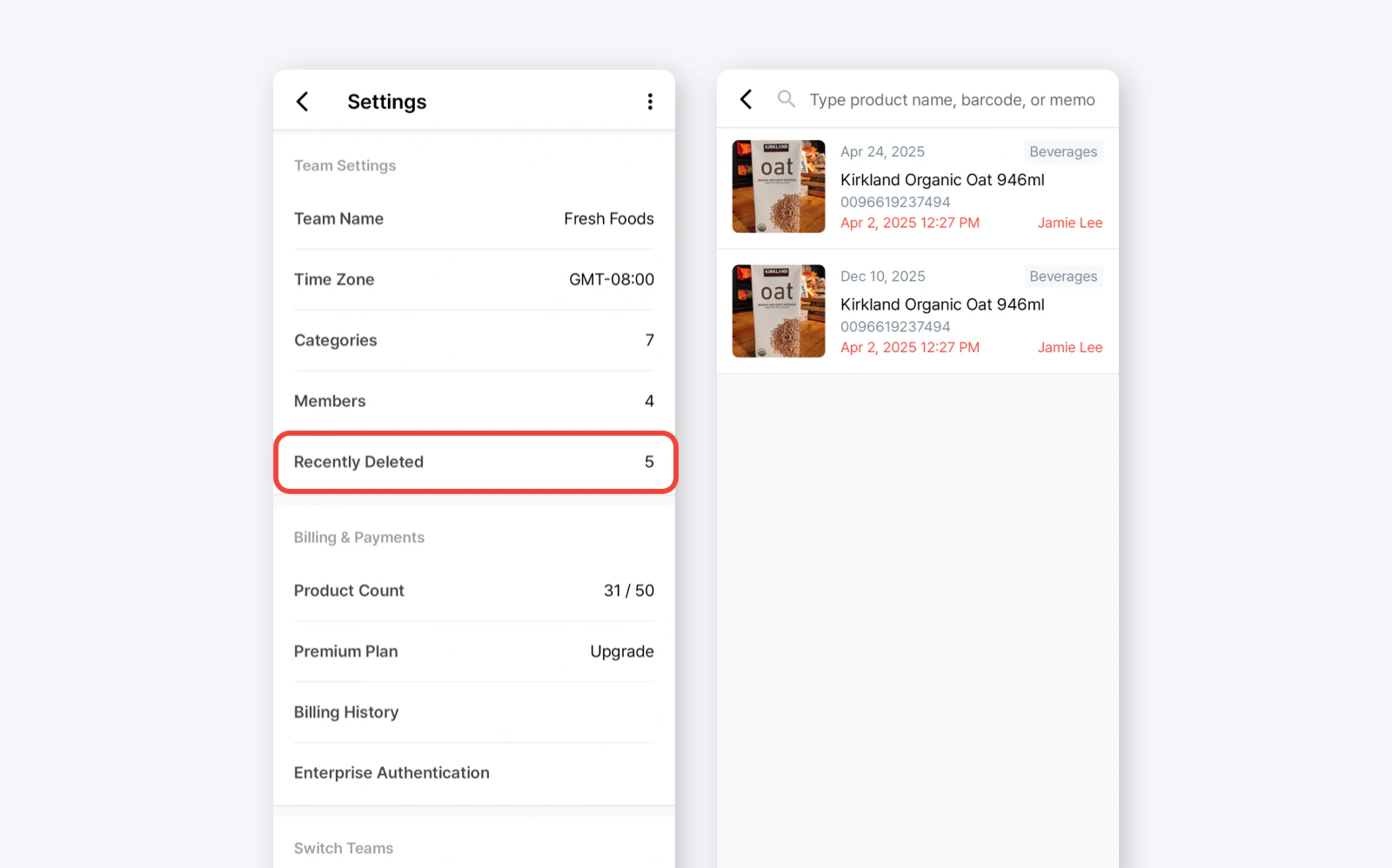
I accidentally deleted a product. How do I restore it?
If you accidentally deleted a product, you can restore it by going to Settings > Team Settings > Recently Deleted. Use the search bar to find a specific product if needed. You can also see who deleted the product and when it was deleted.
BEEP Premium isn’t an auto-renewing subscription; it’s a prepaid plan. There’s nothing to cancel, and you won’t be charged again unless you manually make another purchase. When your plan period ends, Premium simply expires on its own.
Because Premium is prepaid, BEEP won’t appear under Subscriptions in the App Store or Google Play. There there’s no recurring payment set up to cancel there.
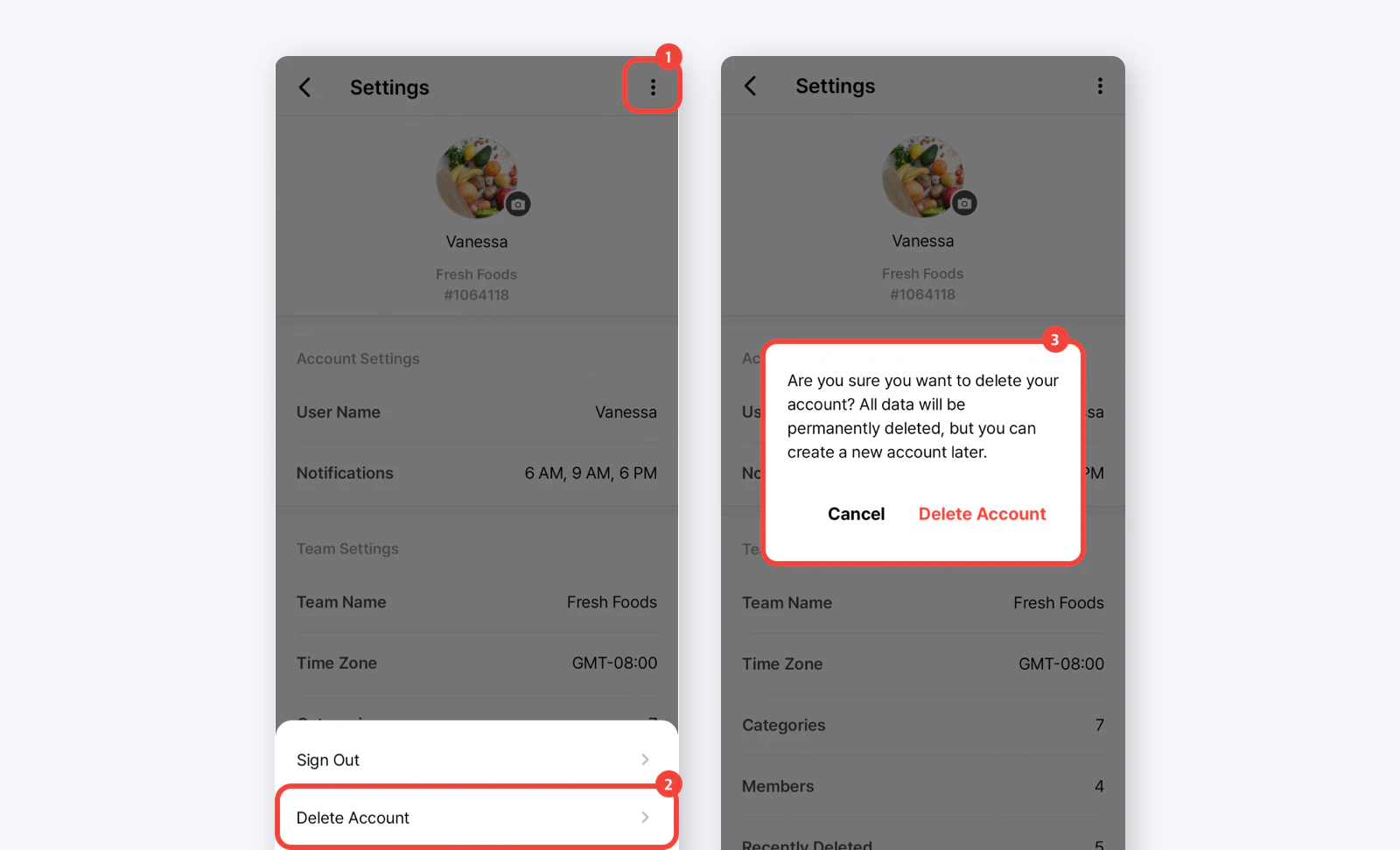
I can’t delete my account because I still have a Premium Plan. What do I do?
BEEP Premium is a prepaid plan, not an auto-renewing subscription, so you won’t be charged again. If your account still has time left on an active plan, you have two options:
Keep the account until the plan ends, then delete it at that time.
Delete the account right away — contact us at support@beepscan.com and we’ll remove the remaining plan period from our side, so you can delete your account immediately afterward.
BEEP accepts in-app payments through the iOS App Store and Google Play.For a 1-year payment, we can provide a separate payment link. If you have any questions or need assistance, please contact us at support@beepscan.com.
If you’re having trouble with BEEP, please try the following:
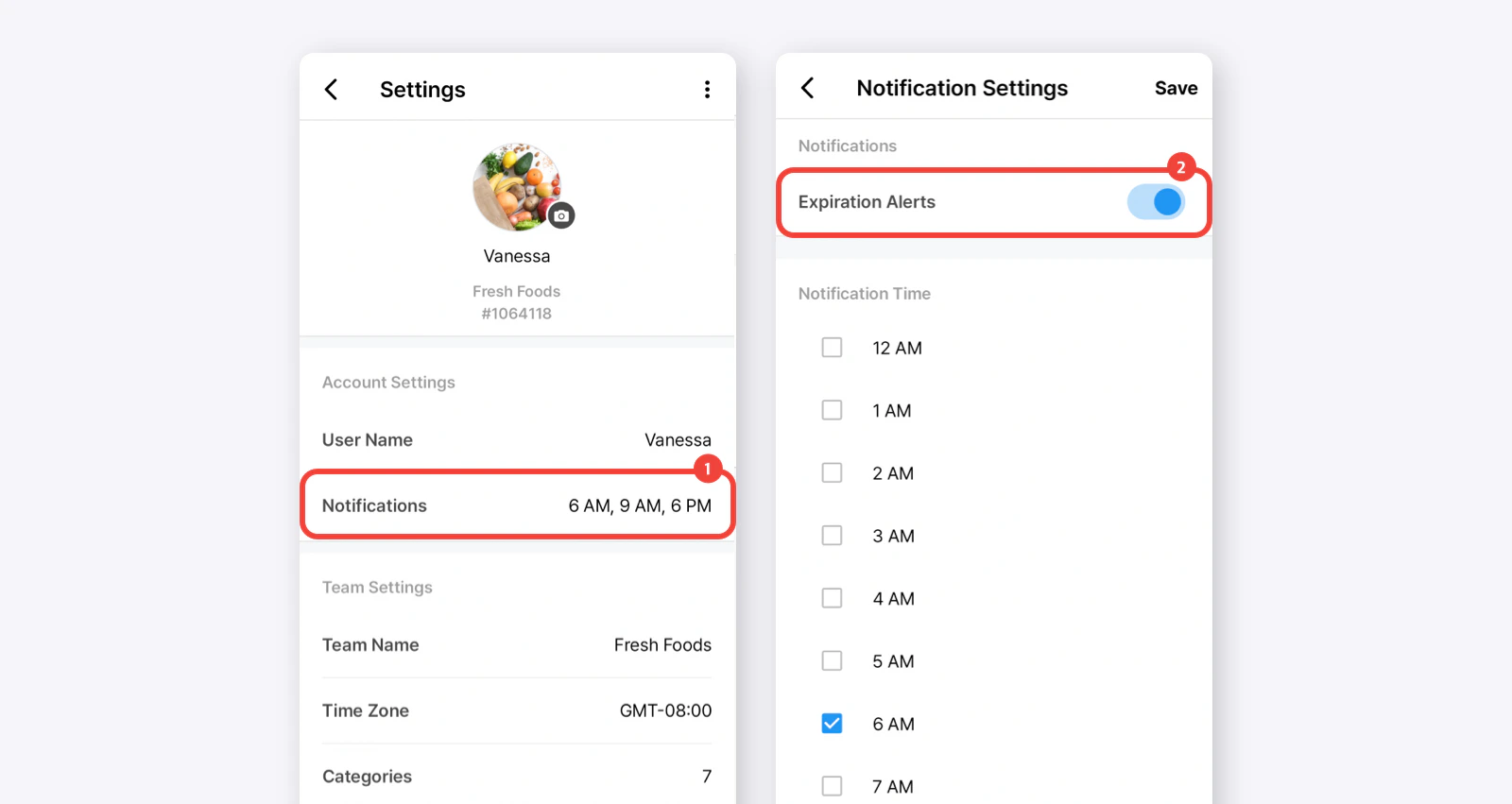
Notification Settings: Make sure notifications are enabled in both the BEEP app and your device settings.
App Version: Check if you’re using the latest version of the BEEP app. If not, update it and see if that fixes the issue.
Internet Connection: A poor or unstable internet connection can affect notifications.
Other Changes: Let us know if you’ve recently changed your device settings or account, as these might be affecting notifications.
If everything seems fine but the issue persists, please share details about the specific products or expiration dates you’re having trouble with. A screenshot or screen recording will help us resolve the issue faster.
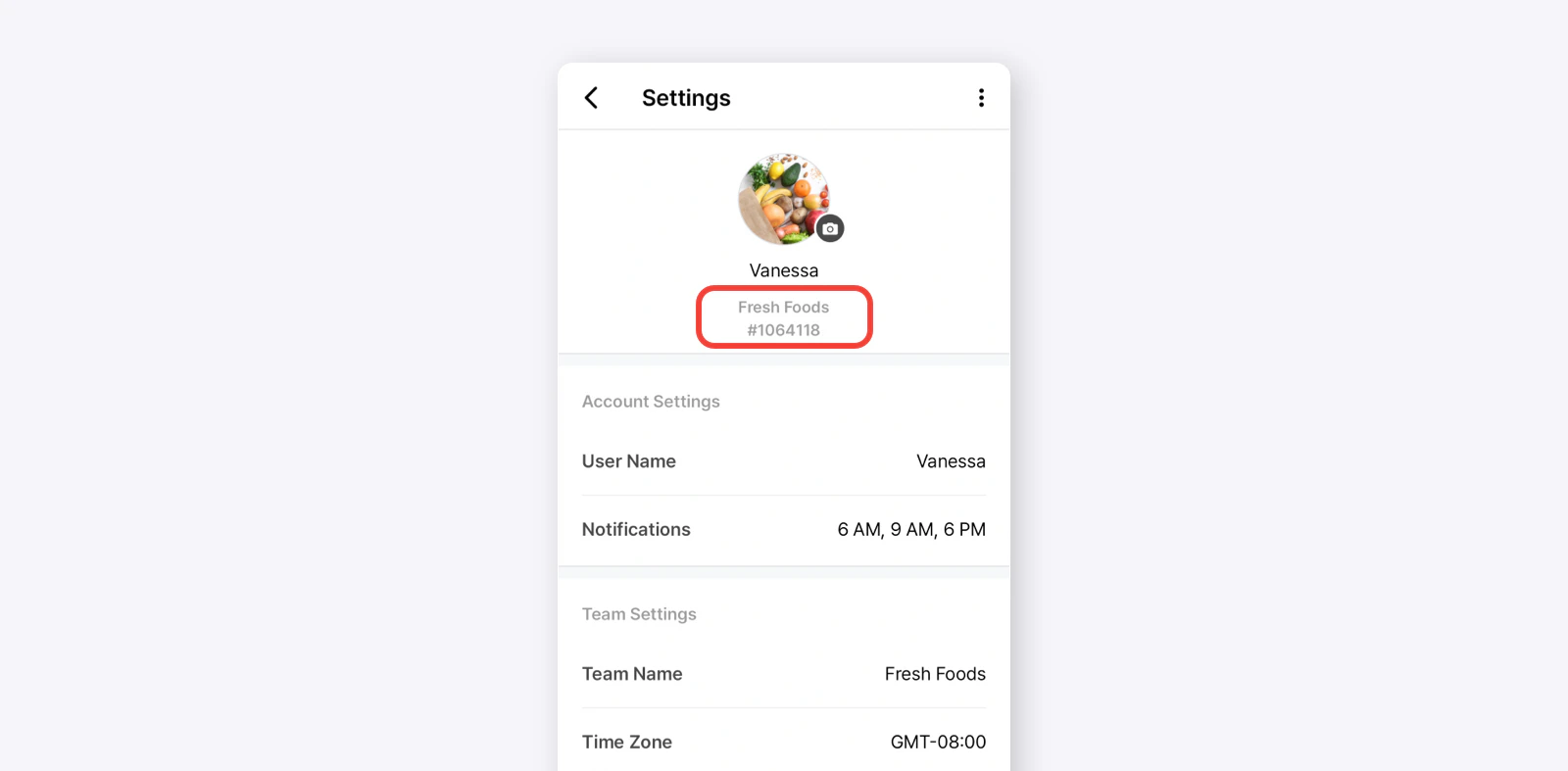
If you can’t find your questions here, you can direct them to support@beepscan.com.To help us better assist you, please include as much information as possible when reaching out. Be sure to provide your Team Name and Team ID (found in Settings, displayed as a number followed by a hashtag #).